|
How to Open Your ME2 save in ME2 or ME3
NOTE: If you do not have all the DLC that the save has, the save WILL NOT OPEN in ME2! This will NOT effect ME3.
Step 1
Download a Mass Effect 2 Save from this site. (or however you choose to get a savegame.)
Step 2
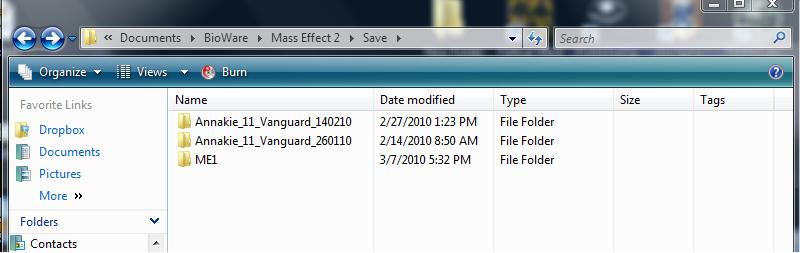
Naviagte to your My Documents --> Bioware --> Mass Effect 2 --> Save folder.
If you do not have these folders, simply create them yourself EXACTLY as shown.
Step 3
Create a new folder inside of Save.
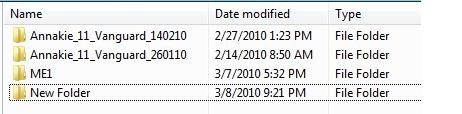
Step 4
Rename this folder to the same thing as one of your other folders, but just change a number at the end. If you do not have any folders, you can use the name shown in the screenshot below. Copy/paste this: Annakie_11_Vanguard_140210
EXCEPT, see that 11 between "Annakie" and "Vanguard"? Those determine your character's background. This is the table, so fix these two numbers as necessary:
Origin:
1 = Spacer
2 = Colonist
3 = Earthborn
Notierity:
1 = Sole Survivor
2 = War Hero
3 = Ruthless
Mine is a Spacer/Sole Survivor, so it's a 11. So for example, if you wanted a Colonist/Ruthless, change the 11 to a 23.
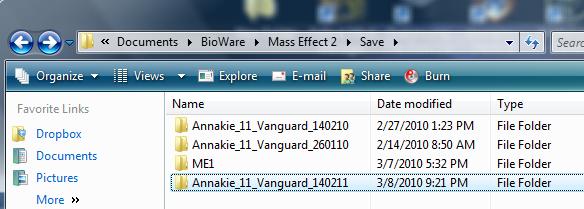
Step 5
Drop your downloaded save into this folder.
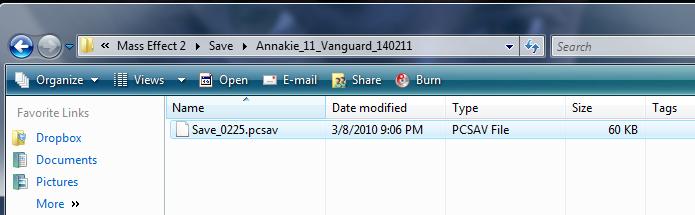
If you did the steps above correctly, ME3 should find the save(s) when you import them into ME3.
Step 6
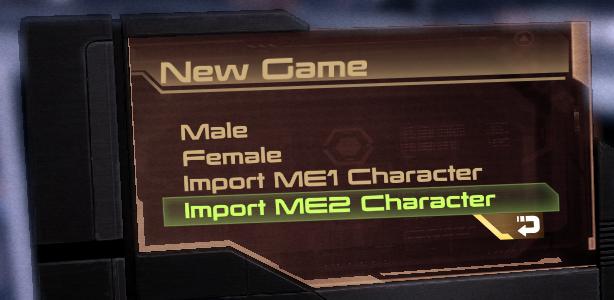
Load up Mass Effect 2 or 3. Select "New Game" then "Import ME2 Character. (In ME2, you can also load the new save by choosing "Load Game" and "Show all".) The menu options are similar for ME3 as well.
Step 7
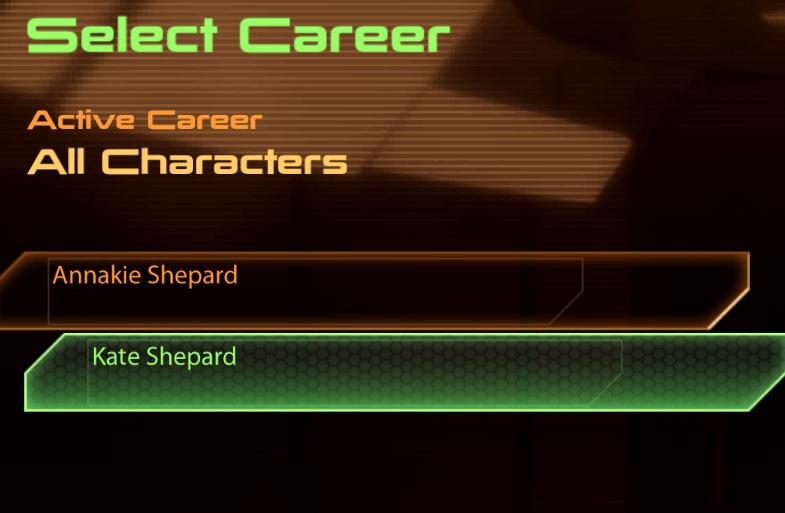
Select your new Shepard and choose to start a new game! Again, the menu is very similar for ME3.
If your save doesn't import to ME3, double check the following:
1) Make sure the save completed the end of ME2. If the save did not complete the Omega 4 Relay, it will NOT import.
2) Make sure that you are putting the saves in Mass Effect 2's save folder, not Mass Effect 3.
3) Make sure that you followed the walkthrough correctly and created all the directories EXACTLY as it's shown. No extra spaces in the folders, but spaces where they're shown. Capitalize letters that are Capitalized, etc.
4) If the save you downloaded is an autosave or quicksave or chaptersave, try renaming it to: Save_0051.pcsav or something similar (copy/paste that for best results.)
|